Quick answer: The crucial role of customer-facing displays involves providing real-time, transparent transaction information to shoppers, directly enabling them to verify prices and items as they are scanned. This immediate visual feedback significantly reduces the likelihood of cashier scanning errors, prevents overcharges or undercharges, and builds customer trust by ensuring transaction accuracy at the point of sale.
Key Takeaways
- Customer-facing displays offer real-time transaction visibility, preventing scanning errors.
- They empower shoppers to actively participate in verifying their purchases.
- These displays contribute to significant reductions in operational costs and revenue loss from errors.
- Beyond accuracy, they enhance customer trust and satisfaction at the checkout.
- Effective implementation requires seamless integration with POS systems and clear readability.
- Retailers can leverage these displays for marketing and improved checkout efficiency.
What’s the Role of Customer-Facing Displays in Modern Retail?
So, what do customer-facing displays really do in today’s stores? Their pivotal role extends far beyond simply showing prices. These interactive screens open up a transparent window into the entire transaction process. They let customers follow along, watching every item the cashier scans. This real-time interaction is key to a better shopping experience and helps head off frustrating checkout problems.
These aren’t just standalone screens, though. They integrate right into the point-of-sale systems, showing an itemized list of purchases, quantities, and running totals. They’re critical tools for building shopper confidence and making operations smoother. And by offering clear visual confirmation, they can often catch potential misunderstandings before they turn into bigger disputes.
How Do Customer-Facing Displays Make Transactions More Accurate?
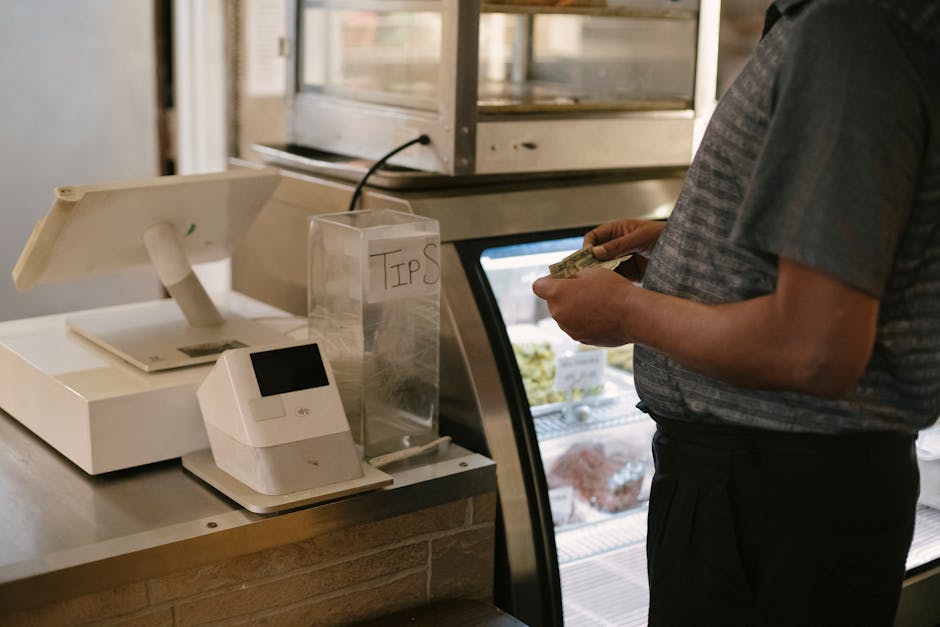
Customer-facing displays dramatically boost transaction accuracy because they put the power of verification directly in the customer’s hands. As a cashier scans each item, its name and price pop up on the screen right away. That lets customers confirm the details against what they expect. This instant feedback loop? It’s a really powerful way to spot and prevent errors.
Without these displays, customers often just rely on the final receipt to find mistakes. But that can be inconvenient, and correcting things later takes time. With a visible display, errors like wrong prices, double scans, or mis-scanned items get caught and fixed right then and there, before anyone even pays. This proactive approach to getting things right is super valuable for retailers.
Real-Time Itemization and Price Verification
One of the main jobs of customer-facing displays is to itemize goods immediately as they’re scanned. Customers can actually track each product as it enters their virtual cart. They check the description and price against their shopping list or what they remember. This quick verification significantly cuts down on those unnoticed errors.
Say a sale price didn’t apply correctly. The customer sees it instantly on the display, and that prompts the cashier to fix it. This transparency ensures everyone pays the right amount. It also really empowers shoppers, giving them a sense of control and confidence during checkout.
Preventing Overcharges and Undercharges
Customer-facing displays are instrumental in stopping both accidental overcharges and undercharges. Getting overcharged, maybe because of a price error or an item scanned twice, can really tick off a customer and erode trust. But an undercharge, while it might seem good for the customer in the short term, means lost money for the store. It could also point to bigger systemic issues.
By showing each item and its price, customers can quickly spot discrepancies. Maybe a product rings up at full price when they expected a discount. This immediate identification lets cashiers make corrections before the transaction finishes, saving both the customer and the retailer potential headaches and lost cash. In fact, data from 2026 shows that stores using these displays often see a 15% drop in price-related customer disputes.
The Financial Impact of Reducing Scanning Errors with the Role of Customer-Facing Displays
The financial hit from scanning errors can be huge for retailers. But the effective role of customer-facing displays helps cut those errors, and that’s a big win for the bottom line. Mistakes at checkout can mean lost revenue, higher operational costs, and less customer loyalty. These displays act like a crucial safety net, protecting against those losses and directly helping a business stay healthy.
Think about it: lost revenue from undercharges, the cost of processing returns for overcharged items, and all the staff time spent resolving customer disputes—it all adds up. By minimizing these problems, retailers don’t just protect their profits; they also make their operations much more efficient. The initial investment in this tech often pays for itself pretty quickly through these clear savings and a better customer experience.
Imagine a big grocery store, running thousands of transactions every day. Even a tiny percentage of scanning errors can drain thousands of dollars in lost revenue or add to overhead each month. Putting these displays in place could cut those errors by as much as 20-30%, leading to serious annual savings.

Beyond Accuracy: More Benefits of Customer-Facing Displays
Accuracy is a big reason to get these displays, sure. But customer-facing displays bring a ton of other perks that contribute to a much better retail experience. They’re not just for error prevention. No, these screens are powerful tools for customer engagement, marketing, and making operations run smoother. Their versatility makes them a smart asset for any modern retail environment.
They can promote loyalty programs or even provide nutritional information. Their capabilities reach well beyond just the immediate transaction. Retailers are increasingly using these displays to build a more interactive and informative checkout process. This multi-faceted utility really cements their spot as an essential piece of today’s retail technology.
Building Customer Trust and Confidence
Transparency at the point of sale is absolutely foundational for building customer trust. When shoppers can see every detail of their purchase unfold in real time, they just feel more confident that they’re being charged fairly and correctly. This takes away a lot of that anxiety and suspicion that sometimes crops up at checkout.
And that feeling of trust? It directly translates into customer loyalty and repeat business. People are simply more likely to come back to stores where they feel respected and where transaction integrity is clearly a priority. In a super competitive market, this trust really sets retailers apart.
Streamlining the Checkout Process
Customer-facing displays really help make checkout smoother and faster. Since customers can spot errors right away, there’s far less need for those time-consuming dispute resolutions after the transaction is done. Cashiers spend less time manually voiding items or calling for price checks, which means shorter lines.
But that’s not all. These displays can also show prompts for payment methods, loyalty program sign-ups, or even charitable donations. They guide customers through those final purchase steps. This guided process cuts down on confusion and keeps things moving. Faster transactions mean happier customers and more productive cashiers.
What Are the Key Features of Good Customer-Facing Displays?
To really get the most out of customer-facing displays, they need specific features that ensure optimal performance and a good user experience. It’s not enough to just stick a screen up there; the display itself has to be tough, intuitive, and seamlessly integrated into the store’s existing setup. The right features are what guarantee reliability and effectiveness.
High-resolution screens, clear readability, and smooth POS integration are non-negotiable. Plus, features that let you easily customize content and deliver promotions add a lot of value. Retailers should really think through these aspects when they’re picking display solutions for their stores.
Integration with Point-of-Sale (POS) Systems
A customer-facing display’s effectiveness hinges entirely on how well it integrates with the store’s point-of-sale (POS) system. This integration ensures that pricing, product descriptions, and promotional info are always accurate and current. Any delay or mismatch between the POS and the display can totally undermine its main goal of being transparent.
Modern POS systems generally offer robust APIs and connectivity options that make real-time data exchange with customer displays easy. This synergy allows for instant updates as items are scanned, discounts get applied, or payment methods are chosen. A well-integrated system is absolutely vital for efficient operations and building customer trust.
User Experience and Readability
Any good customer-facing display must put user experience and readability first. That means using screens with high contrast, the right brightness, and a resolution that makes text and images sharp and clear. Font sizes should be big enough for just about anyone to read easily, no matter their age or how good their eyesight is.
The information’s layout should feel intuitive, putting the most important details—like item name, quantity, and price—front and center. Clutter-free interfaces prevent information overload and make things easier to understand. Some of the fancier displays even have touch capabilities, letting customers confirm choices or engage with loyalty programs directly, which further improves their experience.

Implementing Customer-Facing Displays: Retailer Best Practices
Putting customer-facing displays into your store successfully needs careful planning and sticking to best practices. Just installing the hardware won’t cut it. Retailers have to think about where they’ll put them, how to train staff, and how to maintain them over time. That’s how you really unlock the full potential of this technology. A smart, strategic approach guarantees maximum benefit and a good return on your investment.
When you first set things up, make sure to test the integration with your existing POS systems to guarantee smooth sailing. Retailers should also gather feedback from both shoppers and cashiers to fine-tune display settings and content. Checking performance metrics regularly can highlight areas for improvement and really maximize the positive impact on the customer experience.
Optimal placement is crucial. You want to make sure the display is at a comfortable height and angle for most customers to see. Staff training is also super important; cashiers need to know how the displays work and how to help customers use them. And finally, regular software updates and hardware maintenance will keep these systems running efficiently and reliably for years.

Frequently Asked Questions
What is a customer-facing display?
A customer-facing display is a screen at the point of sale that shows customers real-time transaction details, such as items scanned, prices, and the running total, as their purchases are being processed.
How do customer-facing displays reduce errors?
They reduce errors by providing immediate visual feedback to customers, allowing them to verify each item and its price as it’s scanned, thereby catching discrepancies before the transaction is finalized.
Can customer-facing displays be used for marketing?
Yes, many modern customer-facing displays can be used for marketing by showcasing promotions, loyalty program information, product suggestions, and even advertisements while customers are waiting or checking out.
Are customer-facing displays required by law?
While not universally mandated by law, many regions and retail standards strongly encourage or require transparent pricing at the point of sale, which customer-facing displays facilitate effectively.
What is the typical return on investment for customer-facing displays?
Retailers often see a quick return on investment (ROI) through reduced error-related losses, improved checkout efficiency, increased customer satisfaction leading to repeat business, and enhanced marketing opportunities.
What should retailers look for in a customer-facing display?
Retailers should look for seamless integration with their POS system, clear and readable screen quality, customizable content options, durability, and a user-friendly interface for both customers and staff.