Quick answer: Automated customer review workflows are designed to seamlessly collect valuable feedback by initiating a review request immediately following a retail Point-of-Sale (POS) transaction. This direct integration ensures that customer sentiment is captured at peak recency and relevance, enhancing a business’s online reputation and providing critical operational insights.
Key Takeaways
- Automated customer review workflows use POS data to ask for feedback right on time.
- Hooking into your POS automatically sends review invitations by email or text.
- You’ll see a big jump in how many reviews you get, and how recent they are.
- Retailers actually learn from these reviews, then use that info to make products and services better.
- Good automation means a stronger online presence and more customer trust by 2026.
- Personal touch and good timing are key to getting more reviews.
Why Are Automated Customer Review Workflows Essential for Modern Retailers?
It’s a tough retail world out there, and your online reputation? That’s everything. Customers really lean on what others say before they buy. So, getting lots of good feedback isn’t just nice, it’s a must-have.
Automated customer review workflows give you an edge. They systematically prompt happy customers to tell their stories. And they keep fresh, real reviews coming in, and that directly helps your search rankings and how many people actually buy from you.
Businesses that actively work with their online reviews tend to get more engagement and trust. That’s vital for steady growth well past 2026.
How Do Automated Customer Review Workflows Integrate with POS Systems?
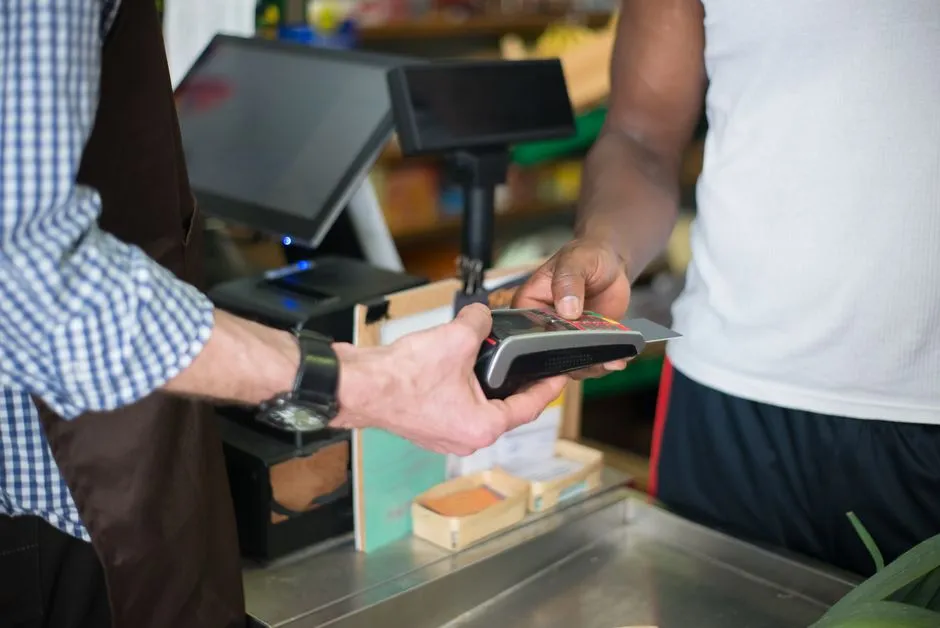
At its heart, a good automated review system just plugs right into your Point-of-Sale (POS) software. When someone checks out, your POS system logs all the important stuff: what they bought, their contact info, when they bought it. And that data? That’s what kicks things off.
Using APIs (Application Programming Interfaces) or just direct data sync, this sales info goes straight and securely to a review management platform. Then the platform takes that info and sends out a personalized review request — usually by email or text — all on its own. No staff lifting a finger.
The Transaction-to-Review Lifecycle
It all starts the second a customer pays for their stuff. Your POS captures the sale, and if they’ve opted in or are already in your CRM, it grabs their contact details too. That data automatically flows right into the review platform.
The review platform is set up beforehand to send a request after a specific, ideal delay. That might be minutes, or even hours, after the sale. This timing makes sure the customer has left your store, maybe even used what they bought, but the experience is still super fresh.

What Are the Key Components of an Effective Automated Review Workflow?
An effective automated customer review workflow isn’t just one thing. It’s several pieces, all working together, and each one plays a huge part in making it work. You really need to understand these parts to build a system that gets you the most reviews and is actually useful.
Trigger Events and Timing
Usually, the main trigger is a completed POS transaction. But hey, for online sales, it could also be confirming a product was delivered. Timing matters big time. Send a request too early, and they haven’t even thought about it yet. Send it too late, and they’ve probably forgotten the details.
Communication Channels
Usually, these review requests go out by email or text. Emails let you get more detailed and show off your brand. But texts? They get opened way more often because they’re so immediate. Lots of good workflows use both. You might offer customers a choice, or use one as a follow-up if the first one doesn’t get a response.
Review Platform Integration
The whole process needs to smoothly guide customers to popular review sites — think Google Business Profile, Yelp, or those niche platforms for your industry. Some systems even let you gather internal feedback first. It’s like a filter, letting you handle any issues privately before asking customers to post publicly.
Follow-up Mechanisms and Incentives
Automated follow-ups, say for requests that weren’t opened or didn’t lead to a review, can really bump up your response rates. Give a little something, like loyalty points or an entry into a prize draw. Just make sure it’s not something that would bias their review. That can really get more people to join in.
What Are the Benefits of Implementing Automated Customer Review Workflows?
Bringing in automated customer review workflows? The perks spread far and wide, touching all sorts of parts of your retail business. They directly help your bottom line, your reputation, and how smoothly you run things.
Increased Review Volume and Recency
Automation just keeps those new reviews coming, consistently and in high numbers. That recency is huge for search engines. And it really gives potential customers more confidence, because they’re seeing current opinions, not stuff from ages ago.
Improved Online Reputation and Trust
Lots of positive reviews, steadily coming in, build you a really strong online reputation. It’s like social proof, right? Makes your business look more attractive and trustworthy to new customers, and that directly influences if they buy from you.
Valuable Customer Insights
Reviews aren’t just about star ratings. They give you solid qualitative data on how your products perform, your customer service, and the whole store experience. Digging into these insights lets retailers spot problems, high-five their wins, and make real, data-driven improvements to what they sell and how they operate.
Boosted Sales and Conversions
Got a good average star rating and tons of reviews? You’ll probably see higher conversion rates. Customers are just more likely to pick a retailer with clear, positive feedback. That means more sales for you, straight up.
Operational Efficiency
Automating review collection means your staff isn’t stuck manually asking for feedback. They get that time back. So, employees can focus on what really matters, like sales and helping customers. That boosts overall productivity.
Overcoming Challenges in Automated Review Collection
Sure, the benefits are obvious. But retailers might run into some snags when they put automated customer review workflows in place. Being proactive with your strategies can help you smooth out those potential bumps, making sure you have a system that works well.
Customer Fatigue and Opt-Out Rates
Too many requests? Customers can totally get overwhelmed. Fight that by sorting your customers, mixing up your timing, and always giving them clear ways to opt out. Just make sure your requests actually help, and don’t come across as spam.
Managing Negative Feedback
Automated systems will pick up negative reviews; it’s unavoidable. So, you absolutely need a plan to respond to and deal with them fast, ideally away from public eyes. Quick, empathetic responses can often flip a bad experience into a good impression.
Data Privacy and Compliance
Dealing with customer data means you’ve got to stick strictly to privacy rules, like GDPR or CCPA. Make sure your system gets clear consent to contact people, and always protects their personal info. Being transparent about how you use data really builds trust.
System Integration Complexities
Hooking up a review platform with different POS systems can sometimes be a technical headache. Go for solutions with good API documentation or connectors already built-in. That’ll make setup way easier and keep your data flowing right.

Best Practices for Maximizing Your Automated Review Strategy
Want to really make the most of your automated customer review workflows? Retailers should grab a few best practices. These approaches will boost how many people respond and make the feedback you get even better.
Timing is Crucial
Play around with when you send those review requests after a sale. For a coffee shop, it might be 30 minutes; for furniture, a few days. The trick is to catch them when the experience is still super clear, but they’re not feeling rushed.
Personalization Elevates Engagement
Always use their name and mention what they just bought. It makes a difference. Personalized requests just don’t feel generic, and they really crank up the chances of someone engaging. Show them you actually value what they have to say.
Ease of Access to Review Platforms
Keep the review process super simple. Give them direct links to the review sites you prefer. Cut down on the clicks. Any friction at all can make people just give up.
Multi-Channel Approach
Don’t just stick to email. Mix in SMS, in-app notifications, or even QR codes on receipts that customers can scan. Hitting multiple channels means you reach more people and cater to how different customers like to communicate.
Responding to All Reviews
Good or bad, responding to reviews shows you care about what customers think. That engagement builds loyalty and proves to future customers reading those reviews that you’re committed to great service.
Analyzing Feedback for Improvement
Dig into the common themes and overall feeling in the reviews you get, and do it regularly. Take that qualitative data to find shared problems, come up with new products, or fine-tune your customer service training by 2027.
The Future of Customer Feedback in Retail: What to Expect by 2026 and Beyond
The whole customer feedback scene? It just keeps moving. By 2026, expect automated customer review workflows to get even smarter, using advanced tech to give you deeper insights and smoother experiences.
AI-Driven Sentiment Analysis
AI is going to play an even bigger role, automatically figuring out the sentiment in reviews, spotting key phrases, and categorizing feedback without anyone having to do it by hand. That means quicker responses and improvements that really hit the mark.
Real-time Feedback Loops
The gap between a sale and a feedback request will get smaller. Systems will be able to ask customers for immediate in-store feedback through mobile apps or special kiosks. That real-time data means you can fix service issues right away.
Seamless Omnichannel Integration
Review workflows will integrate fully across every customer touchpoint — in-store, online, mobile, social media. You name it. A customer’s whole journey and their feedback will be unified, giving you one big, clear picture of their experience, no matter where they talk to your brand.
Predictive Analytics from Review Data
It won’t just be about simple sentiment. Review data, combined with other customer info, will help predict future purchases, flag potential churn risks, and even forecast how well new products will do by 2028.
Frequently Asked Questions
Why should retailers prioritize automated customer review workflows?
Retailers really should focus on these workflows. Why? Because they reliably generate genuine customer feedback, which is vital for building online trust, getting seen more on search engines, and giving you concrete ways to make your business better.
What’s the ideal timing for sending a review request after a POS transaction?
There’s no single perfect time, it depends on your industry and what you sell. But generally, you’re looking for that sweet spot where the experience is still fresh but the customer isn’t feeling rushed. That might be 30 minutes after they leave, or maybe a few days after the purchase.
Can automated workflows handle negative reviews effectively?
Sure, automated workflows will gather all reviews, good and bad. But a smart strategy means having real people respond quickly to negative feedback. Lots of systems can even flag those low-star reviews internally so you can jump in and recover the service before it goes public.
Are there specific POS systems that work best with review automation?
Lots of today’s POS systems, like Square, Shopify POS, Lightspeed, and Toast, usually have strong APIs or direct connections to popular review management platforms. When you’re picking a solution, checking that compatibility is key.
What metrics should I track to measure the success of my review workflow?
You’ll want to track things like how many reviews you’re getting, your average star rating, how many people respond to your requests, trends in sentiment analysis, and how those reviews affect your sales conversions. Keeping an eye on these gives you a clear idea of what’s working.
How do automated review workflows comply with data privacy regulations?
To stay compliant, you need to get explicit permission from customers to contact them. You also need to offer clear ways for them to opt out, and make sure all their data is stored and handled securely, following rules like GDPR or CCPA.