Quick answer: This kind of POS software completely changes how restaurants run. It tightly links up kitchen display systems (KDS) with smart order routing. This gets rid of manual errors and speeds up service. And because orders go straight to the right prep stations, show up clearly, and get tracked live, your kitchen just works better. That makes customers happy, too.
Key Takeaways
- Modern POS systems keep the front and back of the house talking, instantly.
- KDS? They trash paper tickets, cutting down mistakes and making orders super accurate.
- Smart order routing sends each dish to exactly the right kitchen station, all on its own.
- Smoother processes mean tables turn faster, you waste less food, and customers walk out smiling.
- Powerful data from your modern POS helps you fine-tune your menu and how your kitchen runs.
- Good systems are ready for the future, linking up with online orders, inventory, and staff tools.
Running a successful restaurant in 2026? You need things to be precise and fast. That’s why this kind of POS software isn’t just nice to have anymore; it’s absolutely essential for any place wanting to get their back-of-house humming. It’s not just about taking payments, either. Think of it as the brain for every single order, from the moment it’s placed to when it leaves the kitchen.
These powerful systems shine because they can pull all your different operations together. And when it comes to kitchen display and order routing, their impact is huge. Use these features right, and restaurants can hit levels of efficiency, accuracy, and customer happiness they’ve never seen.
What’s a Kitchen Display System (KDS) and Why Should You Care?
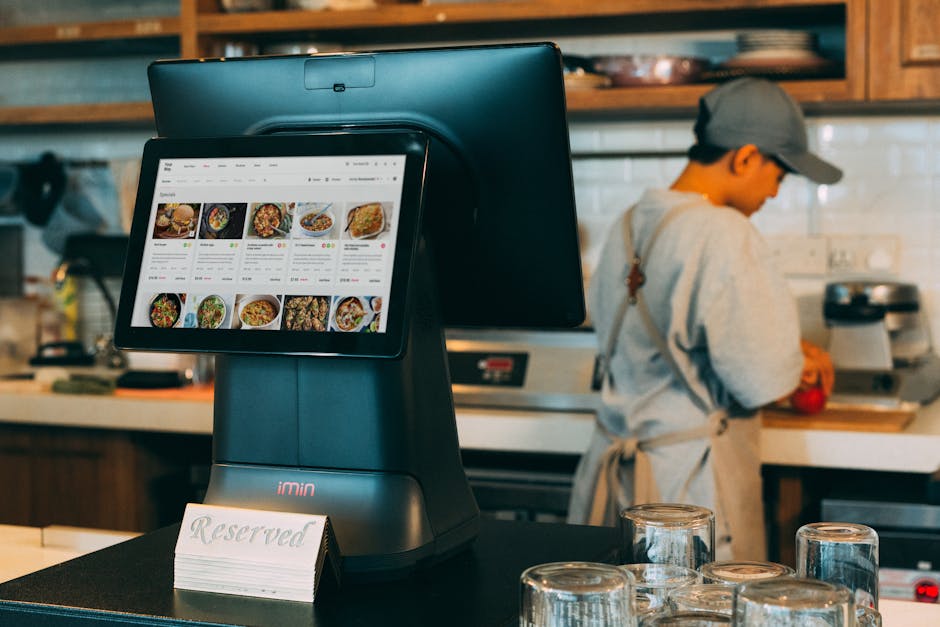
Okay, so what exactly is a Kitchen Display System, or KDS? Simply put, it’s a set of digital screens in your kitchen that show and manage food orders. It kicks paper tickets to the curb, giving your kitchen staff a live, always-changing look at every order coming in and where it’s at in the cooking process. And for any restaurant wanting to run at its best, this digital shift is absolutely crucial.
The KDS becomes the main communication spot between your front-of-house (FOH) and back-of-house (BOH). The second an order goes into the POS, it pops up instantly on the right kitchen screens. This direct, immediate transmission means no more delays, and way fewer mistakes that happen with handwritten tickets.
But it’s not just about showing orders. A KDS packs a lot of power. Chefs can “bump” completed items, mark full orders as done, and even check prep timers. This kind of oversight guarantees every dish gets made in the right order and on schedule. It really helps your kitchen flow.
How Modern Restaurant POS Software Links Up with KDS?
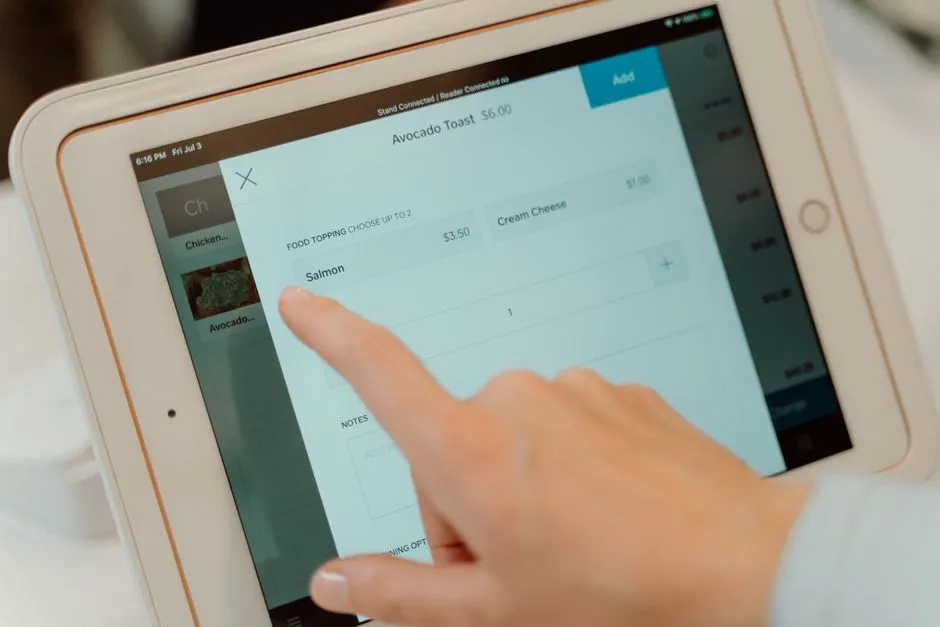
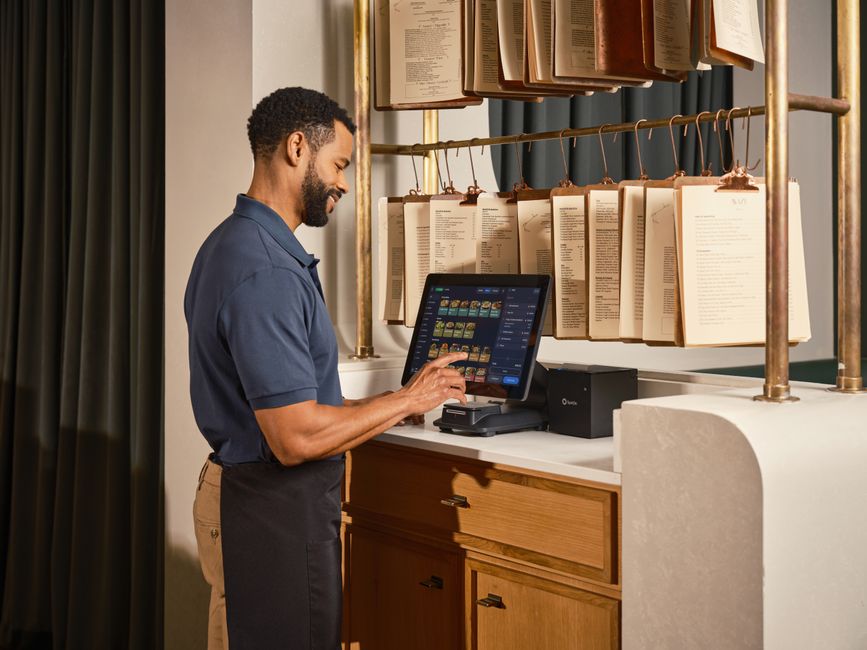
Here’s where a KDS really shines: when it’s completely hooked up with modern restaurant POS software. This isn’t just some tech trick; it creates a smooth flow of data, making every order entry a direct command for your kitchen staff. A server keys in an order, and that info instantly gets translated and sent right to the correct KDS screen.
This direct link means accuracy from the very start. Forget about trying to read messy handwriting or losing tickets. Every detail – modifications, special requests, allergy warnings – shows up clearly on the kitchen display. No confusion there. That kind of clarity? It’s absolutely key to keeping food prep standards high.
And the integration goes further. It lets everyone see real-time updates across the whole system. When a cook marks an item as ready or a full order as done on the KDS, that status instantly shows up on the POS terminal. So, your front-of-house team can give customers exact updates and manage tables better. It just makes the whole dining experience run smoother.
How Smart Order Routing Works with Your Modern POS System
Alright, let’s talk about smart order routing. This cool feature inside modern restaurant POS software automatically sends different parts of an order to the right kitchen stations. Instead of every single item showing up on one big screen, the system breaks down tricky orders and sends each piece to its own prep spot.
Think about a steak order: the system might send the steak part to the grill, the side salad to cold prep, and the drink order straight to the bar. This automatic spread stops things from getting jammed up and just makes the kitchen run better. Each station only gets the info it needs, so cooks can really focus on their job without distractions.
The system can even figure out that different menu items take different times to make, helping everything finish at the same time. Plus, these smart routing rules can handle complicated stuff like splitting tickets for big groups or special instructions for custom dishes. So, even the most detailed orders get processed correctly and cooked fast. What you end up with? A kitchen that’s more organized and productive – which is a must for busy places.
What Good Comes From a Smoother Kitchen Display and Order Routing System?
Faster Operations, Way More Efficient
Look, one of the biggest wins here is how much faster everything runs. Orders jump from the server’s hand to the kitchen line in literally seconds. No more waiting around. This speed means customers get their food quicker, making them happier and potentially letting you turn more tables during your busiest shifts. Less waiting time? That directly means a better experience for your guests and, let’s be honest, more money in your pocket.
Way Better Accuracy, Fewer Mistakes
Digital screens pretty much wipe out the human errors that pop up with handwritten orders and paper tickets. Orders show up clearly and always the same way, so there’s less chance of anyone misreading something. Plus, special instructions, allergies, and modifications? They’re highlighted, making sure every dish hits exactly what the guest asked for. And that kind of accuracy cuts down on wasted food from wrong orders. But it also really builds customer trust.
A Kitchen That Flows, Better Communication
When you’ve got smart order routing, your kitchen staff only see the info that matters to their station. This focused communication cuts out all the noise, so everyone on the team can just focus on their own tasks. Cooks can quickly check pending orders, see what’s priority, and know their prep times. That makes for a kitchen that’s organized and way less chaotic. And clear digital talk keeps the whole back-of-house team perfectly in sync.
Less Food Waste, Lower Costs
Let’s face it: more accurate orders and better prep mean less food goes into the trash. When orders are right every time, you don’t have to remake as many dishes, which saves ingredients and labor. Plus, real-time tracking helps you manage inventory way better. The system can even show you what dishes are popular and how much of each ingredient you’re actually using. So, all this fine-tuning really helps your restaurant’s bottom line by bringing down operating costs.
Happier Customers, More Loyal Guests
You know, fast service, spot-on orders, and fresh, perfectly made food all come from a kitchen that’s running smoothly. Put those together, and you’ve got a fantastic dining experience. That just makes customers happier. And happy customers? They’re way more likely to come back again and again, and they’ll tell their friends about you. That builds serious loyalty. By 2026, how customers feel about your place is what really sets you apart.
Beyond the Kitchen: What Else Can Your Modern Restaurant POS Software Do?
Okay, so KDS and order routing are obviously super important. But your modern restaurant POS software does way more than just help out in the kitchen. These systems pack a whole bunch of tools, built to handle pretty much every part of running your restaurant efficiently. And getting a handle on all these extra features really shows you why putting money into a system like this is so worthwhile.
How POS Systems Handle Inventory and Your Suppliers
Ever wonder how your POS can help with inventory? Well, top-notch systems come with solid inventory management built right in. They track every ingredient you use, live, as orders come in and go out. That means you get accurate stock levels, automatic alerts when something’s running low, and you can stop yourself from ordering too much or, worse, running completely out of key ingredients. Some even link up directly with your suppliers, making the whole ordering process smoother and cutting down on all that manual purchasing work.
What Your POS Can Do for Staff Management
Your modern POS software usually comes with some pretty neat features for managing your team. We’re talking time clock functions for tracking shifts, scheduling tools, and even ways to look at performance. Managers can keep an eye on sales figures for each staff member, track tips easily, and make payroll processes a breeze. This kind of integration takes the pain out of admin work. So, managers can spend less time on paperwork and more time making guests happy and making the restaurant run better.

Online Orders and Delivery? Your POS Handles It
Online food delivery just keeps growing, right? So, having your POS system link up perfectly with those platforms is absolutely vital. Most modern POS systems connect straight to popular third-party delivery apps and your own online ordering sites. What does that mean? It means online orders flow right into your POS, then over to the KDS, just like regular dine-in orders. This single, unified approach means no more juggling separate tablets for every delivery service. That cuts down on mistakes and speeds up how fast you can get those off-premise orders out the door.
Reports and Data: What Modern POS Systems Show You
Let’s be real: data is gold. And modern POS systems? They’re packed with valuable insights. They churn out detailed reports on everything: sales trends, your busiest hours, what menu items are hot, labor costs, and tons more. Restaurants can dig into this data to make smart calls on staffing, designing the menu, marketing plans, and even little tweaks to operations. Knowing your numbers is absolutely critical if you want to keep growing and making money in 2026.
Picking the Right Modern Restaurant POS Software for Your Business
Choosing the perfect POS system? That’s a huge decision for any restaurant owner. You really need to think through what you need now and where you want to grow. Make the right choice, and it’ll seriously boost your efficiency, make customers happier, and improve your bottom line. So, look for systems that can grow with you and bend to your changing business needs.
What Features Really Matter for KDS and Order Routing?
When you’re checking out systems, put KDS interfaces that are super easy to use at the top of your list. You’ll want features like screen layouts you can customize, color-coding for different order types (say, dine-in, takeout, or delivery), and that handy “bump bar” function. For order routing, make sure the system lets you map out menu items to specific kitchen stations in detail. And it should be flexible enough to change those routes if your menu or kitchen setup ever shifts. Plus, solid support for modifiers and special instructions? That’s absolutely non-negotiable.
Cloud vs. On-Premise: Which One’s Right for You?
So, cloud-based or on-premise? Cloud systems often win out. They usually mean lower upfront costs, automatic updates, and you can access them from anywhere. Your data’s stored safely off-site, too, so you don’t have to worry as much about local hardware breaking down. On-premise systems, sure, they give you more control over your data and customization. But they demand a bigger initial spend and you’ll need IT smarts in-house. For most modern restaurants, though, cloud-based just gives you more flexibility and better ongoing support.
What About Support and Training? They’re Crucial.
Let’s be clear: top-notch customer support and really good training? They’re absolutely essential. A new POS system can feel like a lot to learn, and your staff will need solid training to actually use all its features well. So, look for providers who offer 24/7 support, super clear instructions, and someone to help you get started. A reliable support team means you won’t have much downtime, and any tech headaches will get sorted out fast. That keeps your restaurant running smoothly, no doubt.
Frequently Asked Questions
What’s the main job of a Kitchen Display System (KDS)?
A KDS mainly shows food orders digitally in the kitchen. It ditches paper tickets to make orders more accurate, speed up prep, and help the front and back of the house talk better.
How does this POS software make orders more accurate?
It boosts accuracy by sending digital orders straight from the point of sale to the KDS. This gets rid of handwritten mistakes and clearly shows all changes and special notes for the kitchen crew.
Can a modern POS system deal with online orders?
Yep, most modern POS systems hook up perfectly with various online ordering platforms and third-party delivery services. That means online orders flow right into the kitchen, just like dine-in orders.
What good comes from smart order routing?
Smart order routing automatically sends different parts of an order to the right prep stations. This stops things from getting jammed, makes the kitchen run better, and ensures dishes finish at the same time for quicker service.
How does this kind of POS software help cut down on food waste?
By making orders more accurate and tracking inventory live, this kind of POS software helps cut down on dishes made wrong. Plus, it lets you manage ingredient stock much more precisely, so you waste less food.
Is it tough to train staff on new POS software?
Any new system needs some training, sure, but modern POS software is built to be easy to use with simple interfaces. Providers often give full training and ongoing help to make sure all staff get up to speed smoothly.